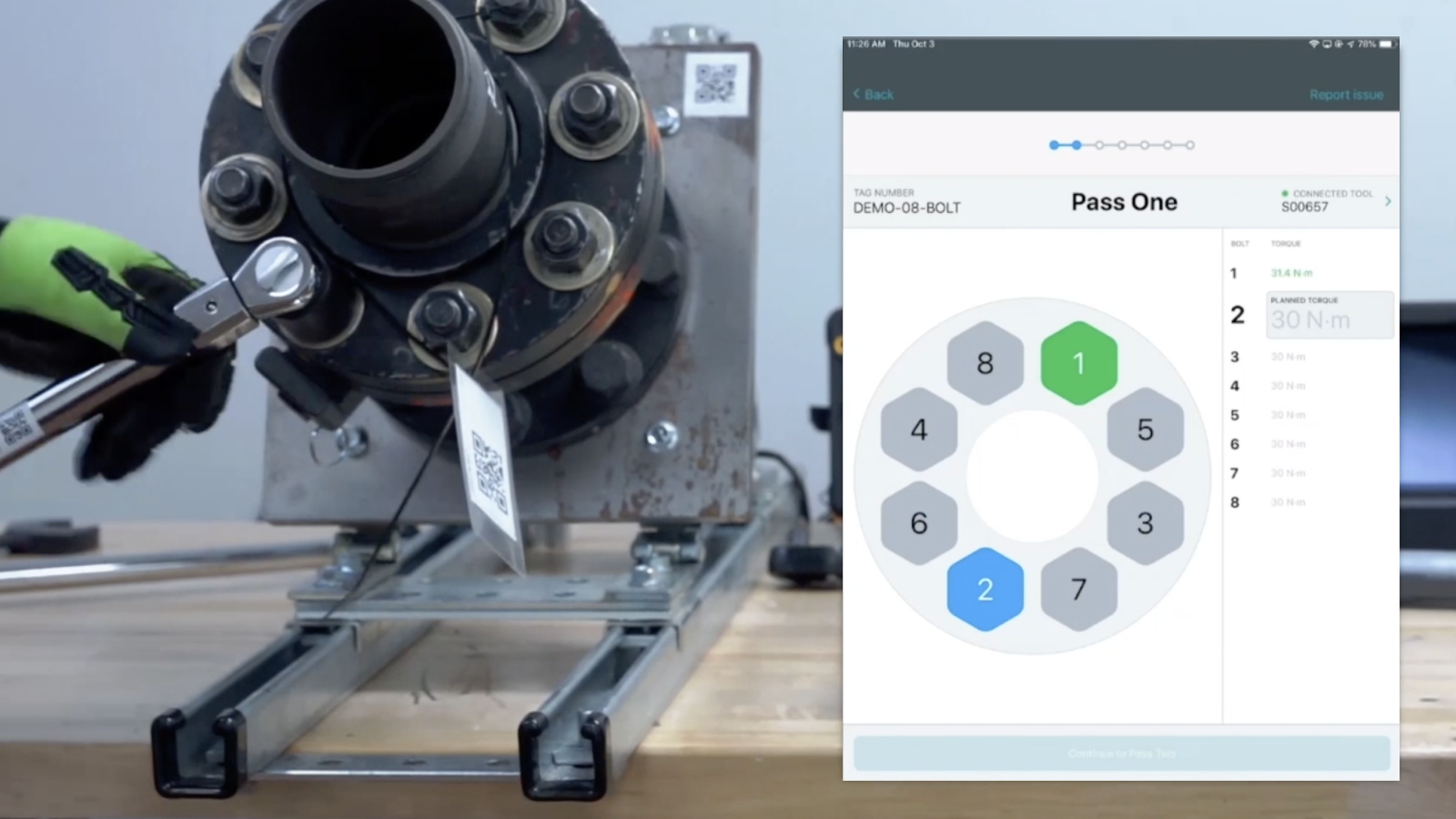
Following the successful launch of Torquefit, the platform needed tool support beyond manual wrenches to accommodate the full range of pipeline construction work. I designed interfaces for multiple high-powered hydraulic tools used on larger flanges, introducing new complexity in communication, navigation, and safety considerations.
Role
- UX design and research
- Information architecture
- Prototyping and usability testing
- Assisted front-end refinement in React Native
Project Overview
The Smart Torque System integrates with bluetooth-enabled industrial tools to collect field data and guide workers through safety-critical processes. As we expanded beyond manual wrenches to hydraulic tightening systems, I led research and design to ensure new tool integrations fit platform goals while providing workers with contextually relevant information
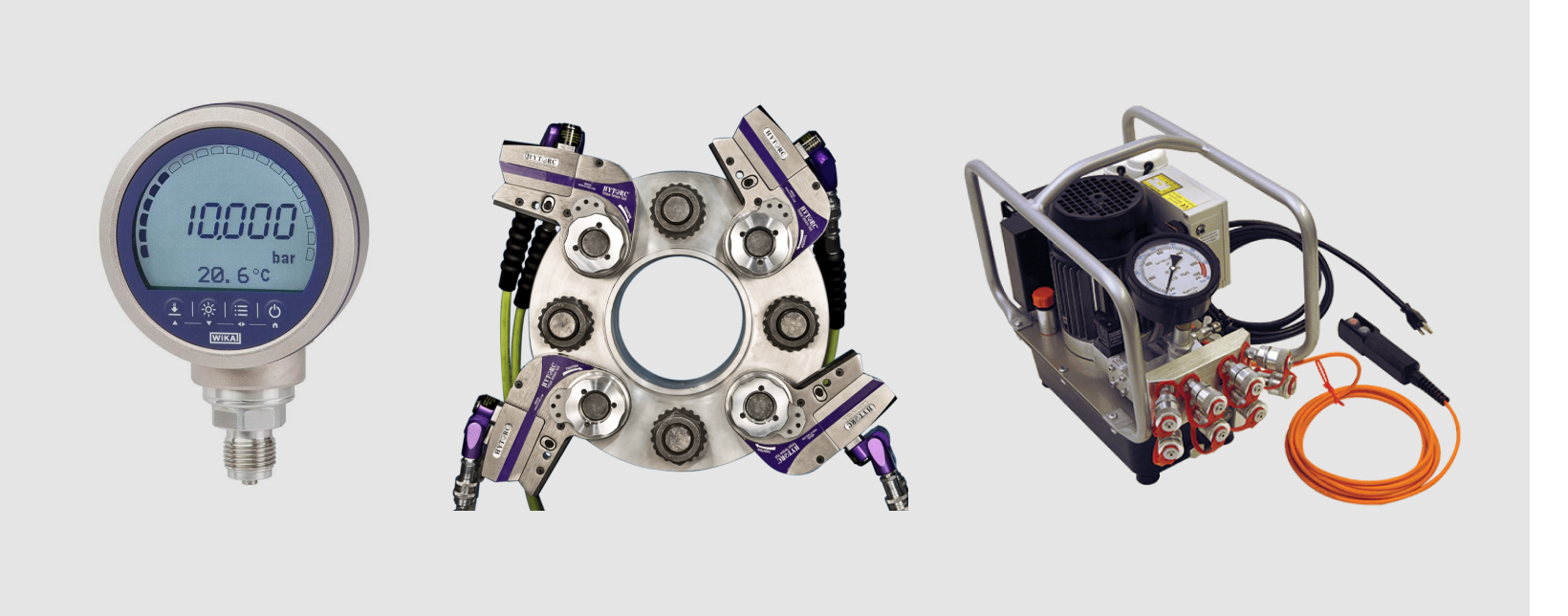
Hydraulic Tightening, Tensioning
User Feedback
TorqueFit (now Cumulus Mobile App) was initially launched with support for bluetooth-enabled manual torque wrenches. From the beginning, the product roadmap had laid out the need for more tool types to support all activities of pipeline construction and maintenance. After building on feedback from users, industry experts, and deployment managers, we compiled a list of needs for interfacing with the new tool, as well as critical information that would need to be displayed to the user at a given time.
- Real-time pressure readings during tightening sequence
- Clear indication of which step in multi-pass tightening process
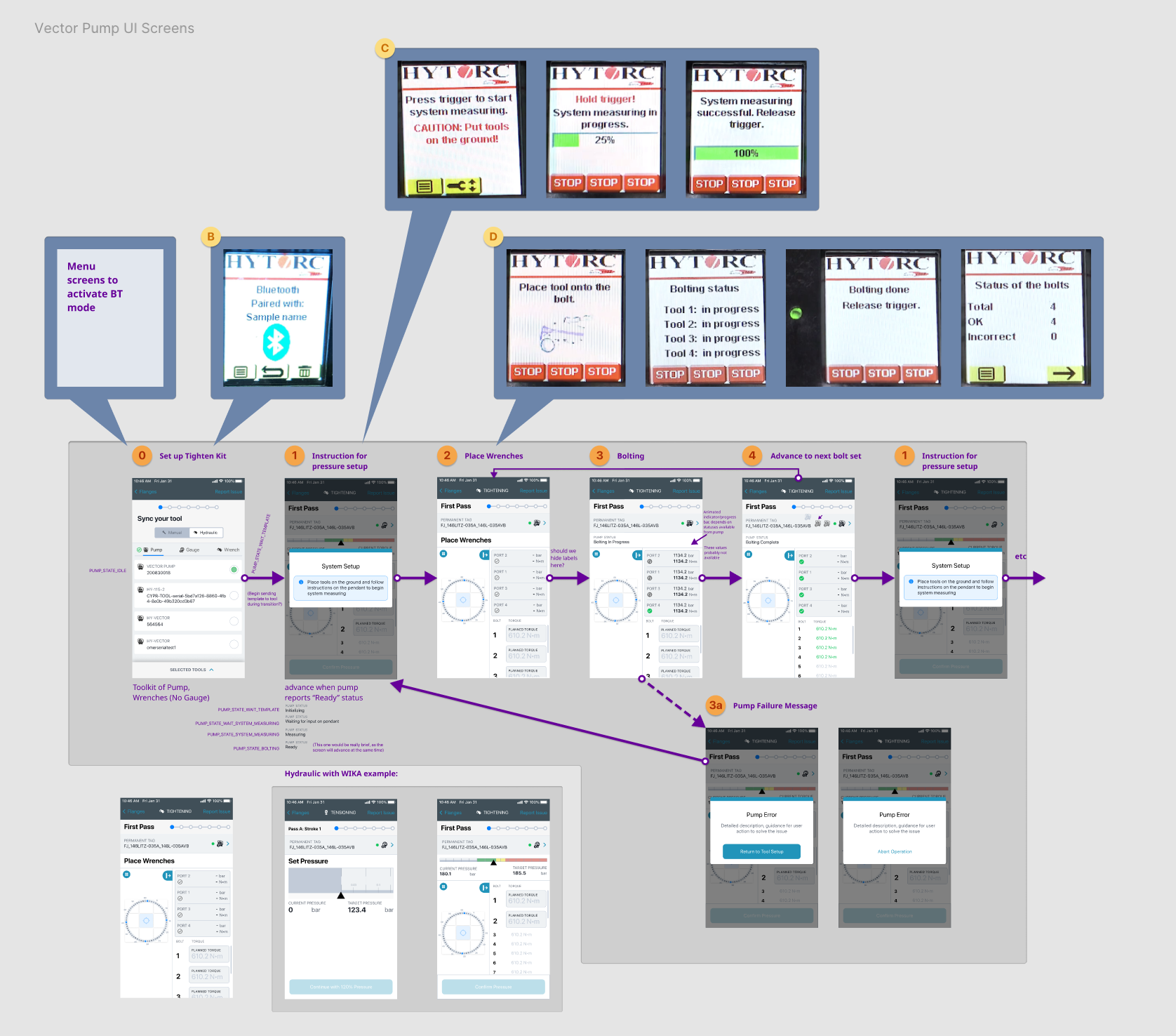
- Coordination between pump LCD messages and in-app guidance
Problem Areas
Hydraulic wrenches introduced new design challenges that directly impacted worker safety and efficiency:
- Complex tool and gauge interface: Workers needed clear guidance on which device to monitor at each step
- Navigation across larger diagrams: Bigger flanges meant more complex spatial navigation
- Mobile layout constraints: Needed to accommodate smaller screens while maintaining information density
- Safety criticality: High-powered tools require precise, unambiguous direction to prevent accidents
Design Approach: Coordinating Mutli-Device Interfaces
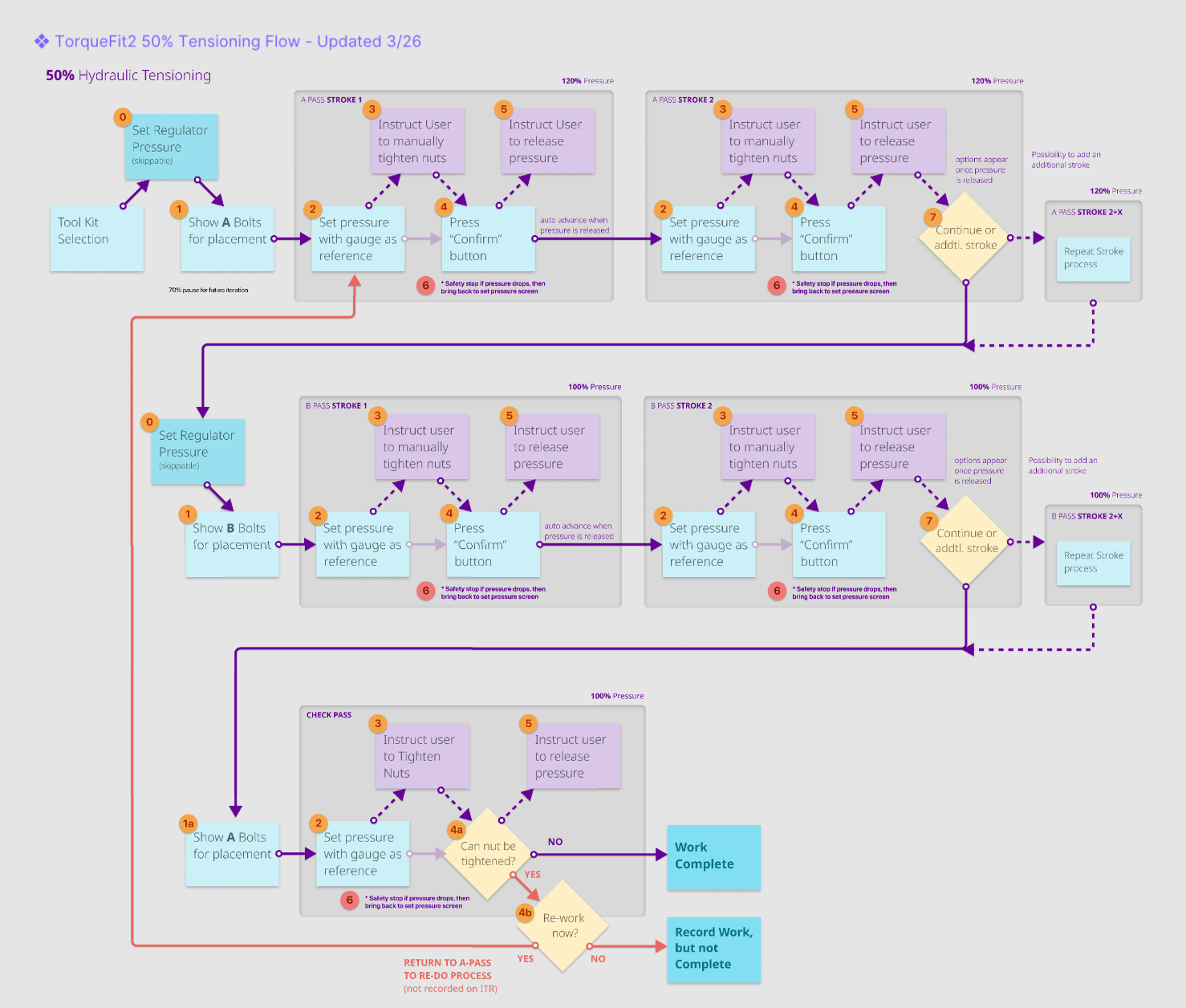
Developing new interfaces often involves collaboration with tool manufacturers and industry experts to align with any status messaging a tool may provide to a user, either with simple LED displays or more complex LCD screens. As a team we worked to ensure that a user’s attention is directed to the correct place at the appropriate time, whether it involves deferring to the device’s interface or focusing on the critical safety of a worker’s current task.
User Testing and Validation
I conducted multiple usability studies to validate UI patterns and navigation approaches:
- Worked with deployment managers to recruit participants from internal teams and customer sites
- Created realistic task scenarios with appropriate context for users unfamiliar with hydraulic systems or pipe-fitting
- Tested navigation patterns, information hierarchy, and clarity of safety messaging
- Iterated on designs based on feedback, particularly around tool status messaging and diagram navigation
Users needed clear delineation between when to focus on the device LCD vs the app interface, leading to refined interaction patterns that directed attention appropriately.
Outcomes
- Successfully integrated hydraulic wrench systems, expanding platform capabilities
- Validated UI patterns through usability testing with cross-functional teams and customers
- Enabled company to support more complex construction scenarios
- Maintained safety-first approach while managing increased interface complexity